
PDF tools for everyday work and very large files
Crop, merge, split, sign, and make scans searchable. Preview your changes, reuse a workflow, and keep your PDF documents on your device—never uploaded to our servers.
For larger jobs, Progressive processing works page by page to reduce memory use, with direct-to-file saving where supported.
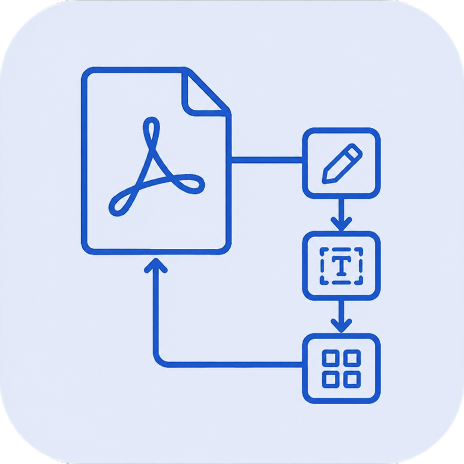
Combine multiple PDF actions
Build a PDF Workflow
Add, arrange, and configure PDF actions, preview each stage, then save the finished result.
Start with one PDF task
Choose a focused tool when you only need one action.
Photo to PDF
Turn photos and image folders into clean, searchable PDFs.
- •Accept multiple images or folders
- •Process images locally with no upload
- •Detect page borders
- •Correct photographed-page perspective
- •Detect text orientation
OCR Text Recognition
Make scanned PDFs searchable, selectable, and easier to copy from.
- •Make PDF scans searchable and text selectable
- •Copy text from scanned PDFs without retyping
- •Choose overlay OCR or text-only output
- •Support for 100+ languages
- •Process scans locally with no PDF upload
Sign PDF
Create and add your signature to PDF documents.
- •Draw your signature
- •Place multiple stamps
- •Resize and reposition
- •Sign PDFs without uploading them
- •Batch sign multiple documents
Add Text
Draw boxes and overlay text on your PDF pages.
- •Fill out forms manually
- •Add notes or comments
- •Cover existing text with new text
- •Label images or diagrams
- •Batch process multiple files
Draw on PDF
Draw freehand lines and notes directly on PDF pages.
- •Draw with a mouse, pen, or finger
- •Choose pen colors and widths
- •Move and resize saved strokes
- •Repeat a drawing across pages
- •Save settings and batch process matching PDFs
Highlight
Highlight words, draw marker strokes, or mark rectangular areas.
- •Select words to highlight
- •Draw rectangles and freehand marker strokes
- •Choose colors and transparency
- •Repeat highlights across pages
- •Save settings and batch process matching PDFs
Merge & Organize
Combine multiple PDFs and rearrange them effortlessly.
- •Join separate contract annexes
- •Combine monthly bank statements
- •Assemble short or multi-chapter reports
- •Merge signed pages back into a document
- •Receive files from other tools
Split PDF
Split PDFs by pages, repeated text, or fixed page counts.
- •Choose visual split points
- •Split every N pages
- •Split by repeated text
- •Separate invoices from one PDF
- •Batch apply one split setup
Split Book Spreads
Turn two-page book scans into single pages.
- •Split every spread through its centre
- •Keep pages in left-then-right order
- •Remove one gutter across the document
- •Preview original and result pages
- •Save one single-page PDF
Extract Pages
Save one page or selected pages from a PDF.
- •Pull signature pages from contracts
- •Save one page from a PDF
- •Extract receipts from scanned batches
- •Save selected pages as one PDF
- •Batch extract recurring page positions
Extract Fields
Turn fixed named PDF fields into structured Excel or CSV rows.
- •Draw fixed regions for named scalar fields
- •Export the same typed columns to XLSX or CSV
- •Review missing and invalid values before export
- •Reuse field recipes across matching PDFs
- •Process PDF contents locally with no document upload
Crop
Remove empty margins and white space from your PDFs.
- •Trim messy scanner borders
- •Remove printer bleed marks
- •Focus viewing area on content
- •Standardize varied page sizes
- •Batch crop multiple files
Add Margins
Fit PDF content inside adjustable empty page margins.
- •Drag four visual margin lines
- •Fit page content proportionally
- •Use one setting, odd/even settings, or individual pages
- •Keep links aligned with the fitted content
- •Process PDFs on your device
Hide Content
Blur, pixelate, or cut out selected PDF areas.
- •Hide medical details before secure download
- •Cover private financial figures
- •Cover outdated labels or logos
- •Prepare selected areas for flattened output
- •Export processing config
Remove Content
Delete selected PDF content or remove all raster images.
- •Remove selected text, images, and artwork
- •Remove raster images throughout a PDF
- •Drop unused image data to reduce file size
- •Click content or drag across an area to select it
- •Process PDFs on your device
Flatten to Image
Convert PDF pages to fixed images and make text non-selectable.
- •Convert each PDF page to an image
- •Make text non-selectable
- •Prevent direct copy and paste
- •Create scanned-style PDFs
- •Preserve the final visual layout
Combine Pages
Consolidate multiple pages into single pages (2-up, 4-up).
- •Create 2-up reading layouts
- •Fit 4 presentation slides per page
- •Prepare flashcards for printing
- •Condense drafts to save paper
- •Save layout configuration
Reorder Pages
Move PDF pages into the right order with a visual preview.
- •Move pages up and down
- •Fix scanning order mistakes
- •Organize presentation slides
- •Curate document sequence
- •Optional page-number sort
Compare PDF
Find textual differences between two PDF versions.
- •Spot changes in contract drafts
- •Verify wording updates in document drafts
- •Audit financial report versions
- •Review collaborative edits
- •Side-by-side synchronized view
Delete Pages
Remove blank, duplicate, cover, or other unwanted PDF pages.
- •Remove accidental blank pages
- •Delete unwanted pages visually
- •Delete first or last N pages
- •Find pages by text phrase
- •Clean up scanned document packs
Compress PDF
Reduce PDF file size by compressing photos and scans.
- •Gentle, Balanced, and Strong compression
- •Preview compressed pages before saving
- •Keep text selectable and searchable
- •See file size savings and image changes
- •PDF documents stay on your device
Reading Colors
Change PDF background and text colors for more comfortable reading.
- •Warm Paper, Sepia, Soft Gray, Dusk, and Night styles
- •Adjust the color strength and compare with the original
- •Keep text selectable and searchable
- •Keep images and graphics unchanged or invert supported photos, scans, and vector artwork
- •Open the finished PDF in other reader apps
Save Toner
Lighten PDFs before printing while keeping important edges readable.
- •Smart Lightening + Outline (Default)
- •Process Whole Document Automatically
- •Adjustable Ink Reduction
- •Independent Area Settings
- •Export toner saving recipe
Add Image
Add logos, seals, image stamps, or scanned initials to PDF pages.
- •Add a company logo to PDFs
- •Insert PNG, JPEG, or WebP files
- •Create watermarks with opacity and rotation
- •Place seals or approval stamps
- •Resize and reposition images
Straighten Pages
Automatically detect and straighten crooked or skewed scanned pages.
- •Fix crooked scanned receipts
- •Straighten quick mobile document photos
- •Correct skewed textbook scans
- •Improve text readability for OCR
- •Auto-detect skew angle
Rotate Pages
Check current rotation and turn pages in 90-degree steps.
- •Fix sideways scanned pages
- •Fix orientation of the scan
- •Correct upside-down handouts
- •Normalize mixed page orientation
- •Batch rotate repeated document sets
Add Page Numbers
Add sequential page numbers with size and style controls.
- •Adjust font size
- •Use bold or italic styling
- •Draggable vertical positioning
- •Instant preview of results
- •Export numbering config
Resize Pages
Set every PDF page to A4 or US Letter.
- •Set every page to A4 or US Letter
- •Choose portrait or landscape
- •Fit and centre visible page content proportionally
- •Add white space where page shapes differ
- •Process PDFs on your device
Need a Custom PDF Solution?
Talk to us about PDF work beyond the available Actions
- •Discuss a PDF workflow built around your business process.
- •Explore enterprise integration or self-hosted deployment.
- •Ask about a dedicated desktop solution.
Download Desktop Application
Keep your PDF tools close at hand on Windows, macOS, or Linux. After installation and activation, document processing can run without an internet connection.
Download for Windows/Mac/LinuxFrequently Asked Questions
Learn about large files, everyday tools, privacy, and workflows
UK GDPR Compliant
Secure PDF Tools complies with UK GDPR for the personal data we process.
- • Clear privacy information
- • Consent controls where required
- • Data minimisation by design
Documents Stay on Your Device
PDF contents are processed locally rather than by our servers.
- • No PDF upload
- • No server-side document processing
- • No document storage on our servers
Enterprise-Safe PDF Processing
Work with confidential business documents without sending PDF contents to our servers.
- • Legal contracts and NDAs
- • Financial records
- • Medical records